

Contributed by Adrian Barbir on 2025-01-30
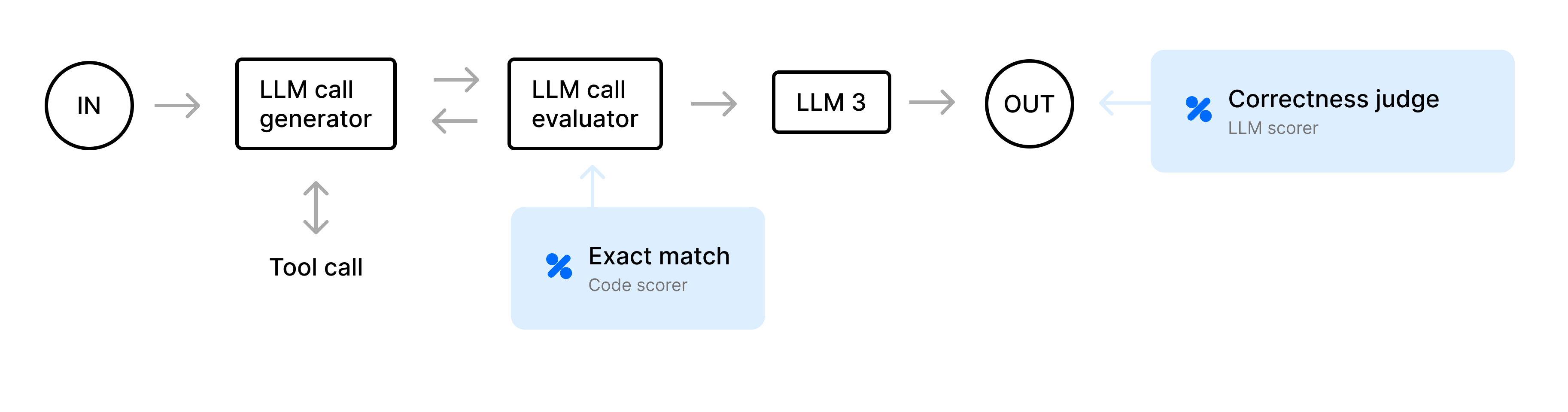
Prompt chaining systems coordinate LLMs to solve complex tasks through a series of smaller, specialized steps. Without careful evaluation, these systems can produce unpredictable results since small inaccuracies can compound across multiple steps. To produce reliable, production-ready agents, you need to understand exactly what’s going on under the hood. In this cookbook, we’ll demonstrate how to:
- Trace and evaluate a complete end-to-end agent in Braintrust.
- Isolate and evaluate a particular step in the prompt chain to identify and measure issues.
Getting started
To get started, you’ll need Braintrust and OpenAI accounts, along with their corresponding API keys. Plug your OpenAI API key into your Braintrust account’s AI providers configuration. You can also add an API key for any other AI provider you’d like but be sure to change the code to use that model. Lastly, add yourBRAINTRUST_API_KEY to your Python environment.
Best practice is to export your API key as an environment variable. However, to make it easier to follow along with this cookbook, you can also hardcode it into the code below.
Define mock APIs
For the purposes of this cookbook, we’ll define placeholder “mock” APIs for weather and flight searches. In production applications, you’d call external services or databases. However, here we’ll simulate dynamic outputs (randomly chosen weather, airfare prices, and seat availability) to confirm the agent logic works without external dependencies.Schema definition and validation helpers
To keep the agent’s output consistent, we’ll use a JSON schema enforced viapydantic. The agent can only return one of four actions: GET_WEATHER, GET_FLIGHTS, GENERATE_ITINERARY, or DONE. This constraint ensures we can reliably parse the agent’s response and handle it safely.
Agent action validation
The agent may propose actions that are unnecessary (for example, fetching weather repeatedly) or that contradict existing data. To solve this, we define an LLM call evaluator, or “judge step,” to validate each proposed step. For example, if the agent attempts toGET_WEATHER a second time for data that has already been fetched, the judge flags it, and then we prompt the LLM to fix it.
Itinerary generation
Once the agent gathers enough information, we expect a generated final itinerary. Below is a function that takes all the gathered data, such as user preferences, API responses, and budget details, and constructs a cohesive multi-day travel plan. The result is a textual trip description, including recommended accommodations, daily activities, or tips.Deciding the “next action”
Next, we create a system prompt that summarizes known data like weather and flights, and reiterates the JSON schema requirements. This ensures the agent doesn’t redundantly fetch data and responds in valid JSON.The main agent loop
Finally, we build the core loop that powers our entire travel planning agent. It runs for a given maximum number of iterations, performing the following steps each time:- Prompt the LLM for the next action.
- Validate the JSON response against our schema.
- Judge if the step is logical in context. If it fails, attempt to fix it.
- Execute the step if valid (calling the mock weather/flight APIs).
- If the agent indicates
GENERATE_ITINERARY, produce the final itinerary and exit.
Evaluation dataset
Our workflow needs sample input data for testing. Below are three hardcoded test cases with different origins, destinations, budgets, and preferences. In a production application, you’d have a more extensive dataset of test cases.Defining our scoring function
For our scoring function, we implement a custom LLM-based correctness scorer that checks whether the final itinerary actually meets the user’s preferences. For instance, if the user wants a “high-activity trip,” but the final plan doesn’t suggest outdoor excursions or active elements, the scorer may judge that it’s missing key requirements.Evaluating the agent end-to-end
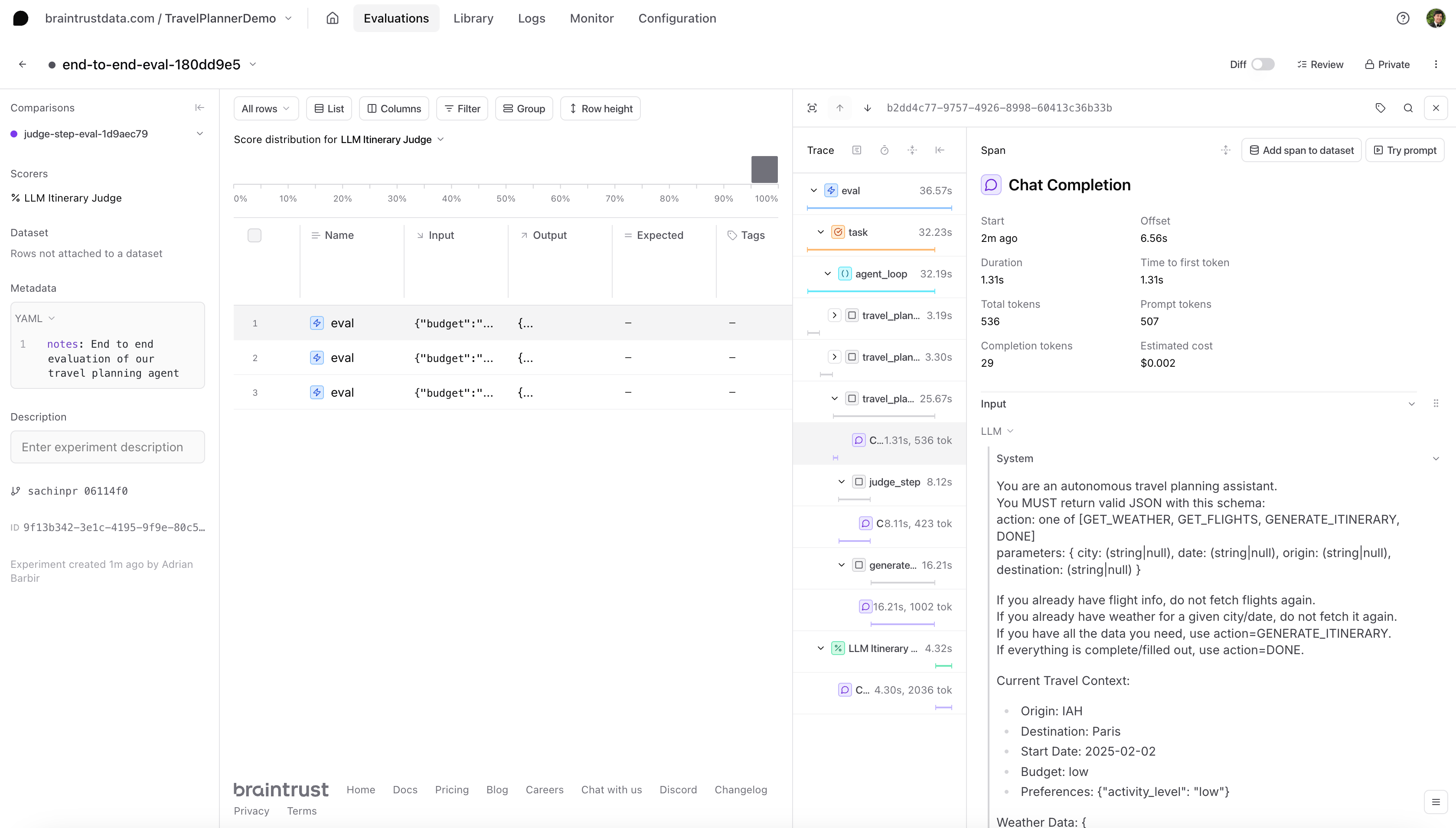
For our end-to-end evaluation, we define achain_task that calls agent_loop(), then run an eval. Because the agent_loop() is wrapped with @braintrust.traced, each iteration and sub-step gets logged in the Braintrust UI.
Evaluating the judge step in isolation
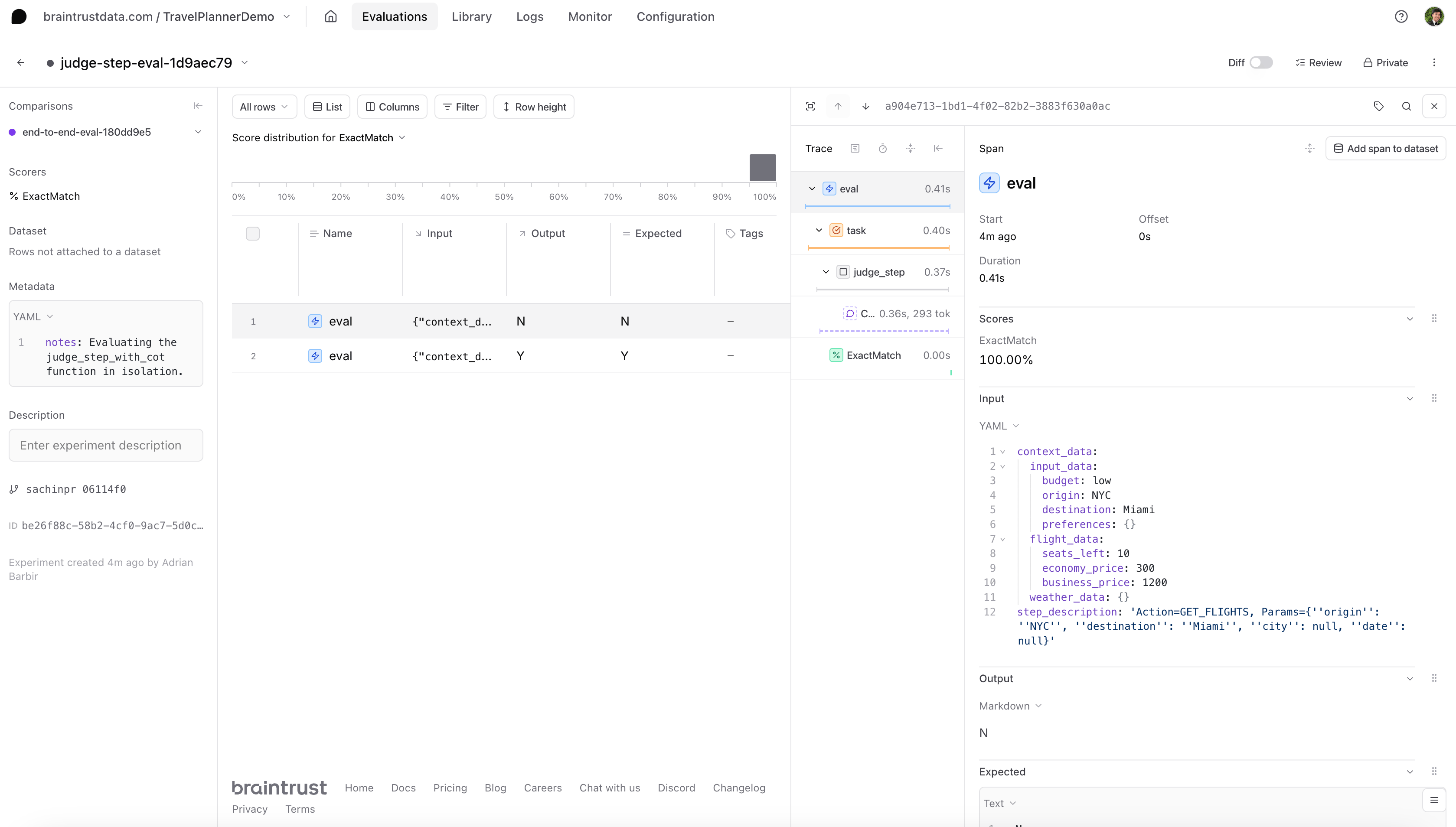
After evaluating the end-to-end performance of an agent, you might want to take a closer look at a single sub-process. For instance, if you notice that the agent frequently repeats certain actions when it shouldn’t, you might suspect the judge logic is misclassifying steps. To do this, we’ll need to create a new experiment, a new dataset of test cases, and new scorers.Depending on the complexity of your agent or how you like to organize your work in Braintrust, you can choose to create a new project for this evaluation instead of adding it to the existing project as we do here.
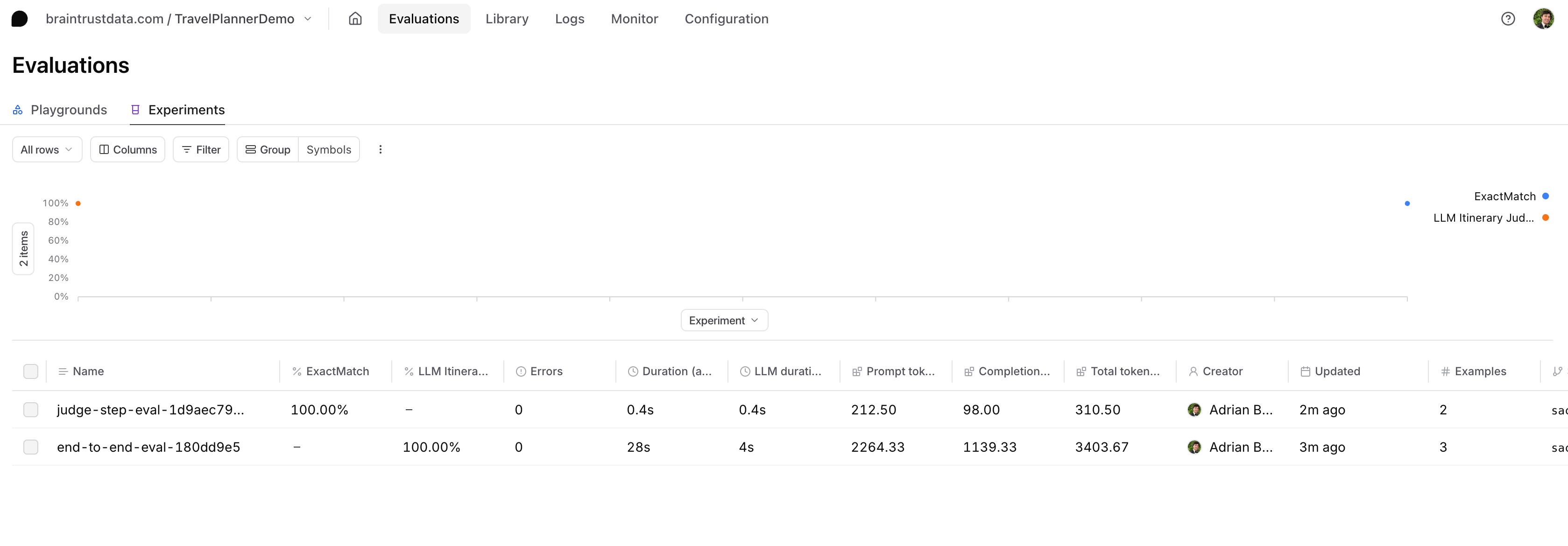
judge_eval_task that passes the sample inputs through judge_step_with_cot() and then compares the response to our expected label using a heuristic scorer called ExactMatch() from our built-in library of scoring functions, autoevals.
Next steps:
- Learn more about how to evaluate agents
- Check out the guide to what you should do after running an eval
- Try out another agent cookbook