

Contributed by David Song on 2023-09-01
Classification is a core natural language processing (NLP) task that large language models are good at, but building reliable systems is still challenging. In this cookbook, we’ll walk through how to improve an LLM-based classification system that sorts news articles by category.
Getting started
Before getting started, make sure you have a Braintrust account and an API key for OpenAI. Make sure to plug the OpenAI key into your Braintrust account’s AI provider configuration. Once you have your Braintrust account set up with an OpenAI API key, install the following dependencies:BRAINTRUST_API_KEY as an environment variable:
Exporting your API key is a best practice, but to make it easier to follow along with this cookbook, you can also hardcode it into the code below.
Writing the initial prompts
We’ll start by testing classification on a single article. We’ll select it from the dataset to examine its input and expected output:classify_article function that takes an input title and returns a category:
Running an evaluation
We’ve tested our prompt on a single article, so now we can test across the rest of the dataset using theEval function. Behind the scenes, Eval will in parallel run the classify_article function on each article in the dataset, and then compare the results to the ground truth labels using a simple Levenshtein scorer. When it finishes running, it will print out the results with a link to dig deeper.
Analyzing the results
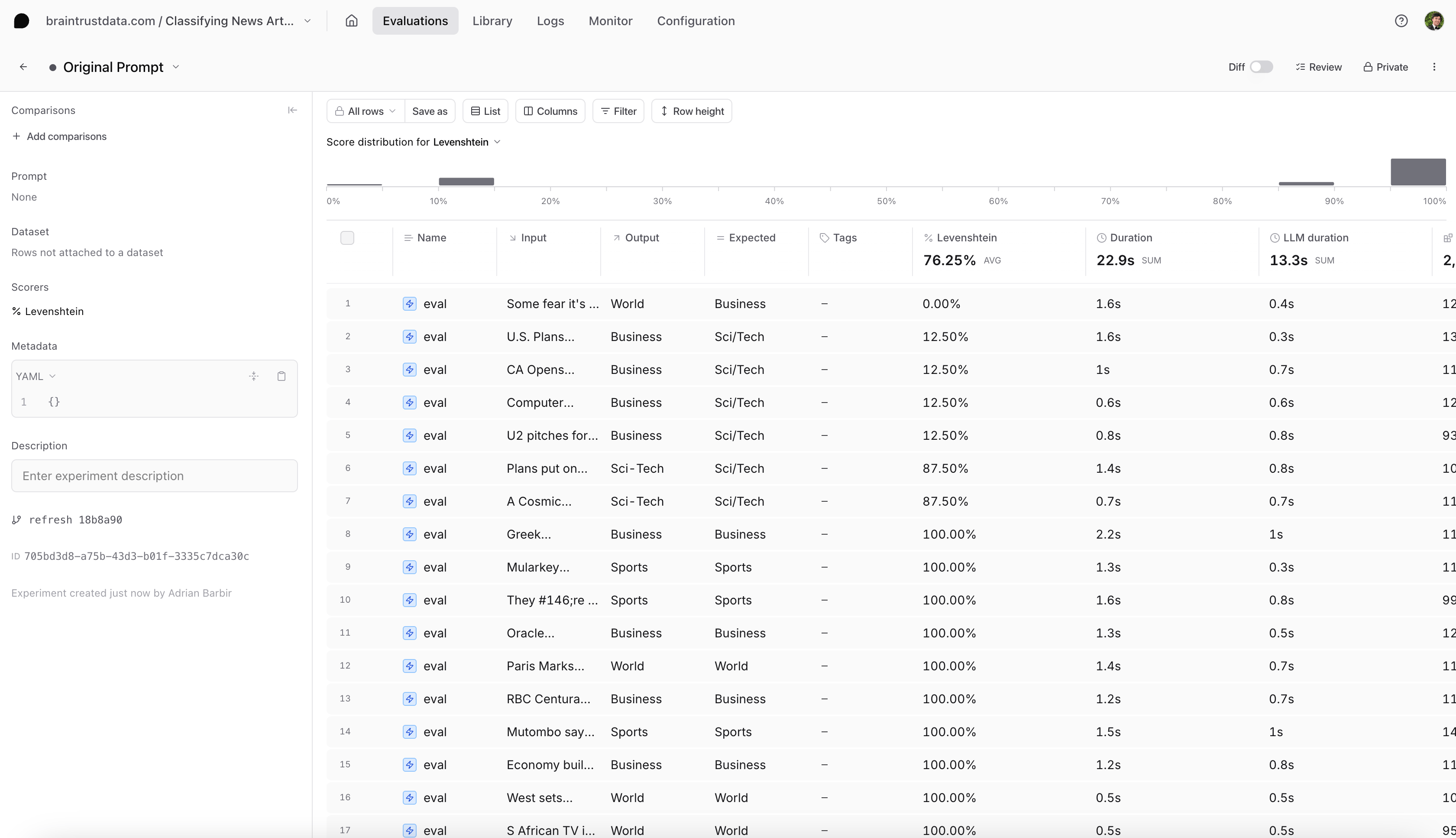
Looking at our results table (in the screenshot below), we see our that any data points that involve the categorySci/Tech are not scoring 100%. Let’s dive deeper.
Reproducing an example
First, let’s see if we can reproduce this issue locally. We can test an article corresponding to theSci/Tech category and reproduce the evaluation:
Fixing the prompt
Have you spotted the issue? It looks like we misspelled one of the categories in our prompt. The dataset’s categories areWorld, Sports, Business and Sci/Tech - but we are using Sci-Tech in our prompt. Let’s fix it:
Evaluate the new prompt
The model classified the correct categorySci/Tech for this example. But, how do we know it works for the rest of the dataset? Let’s run a new experiment to evaluate our new prompt:
Conclusion
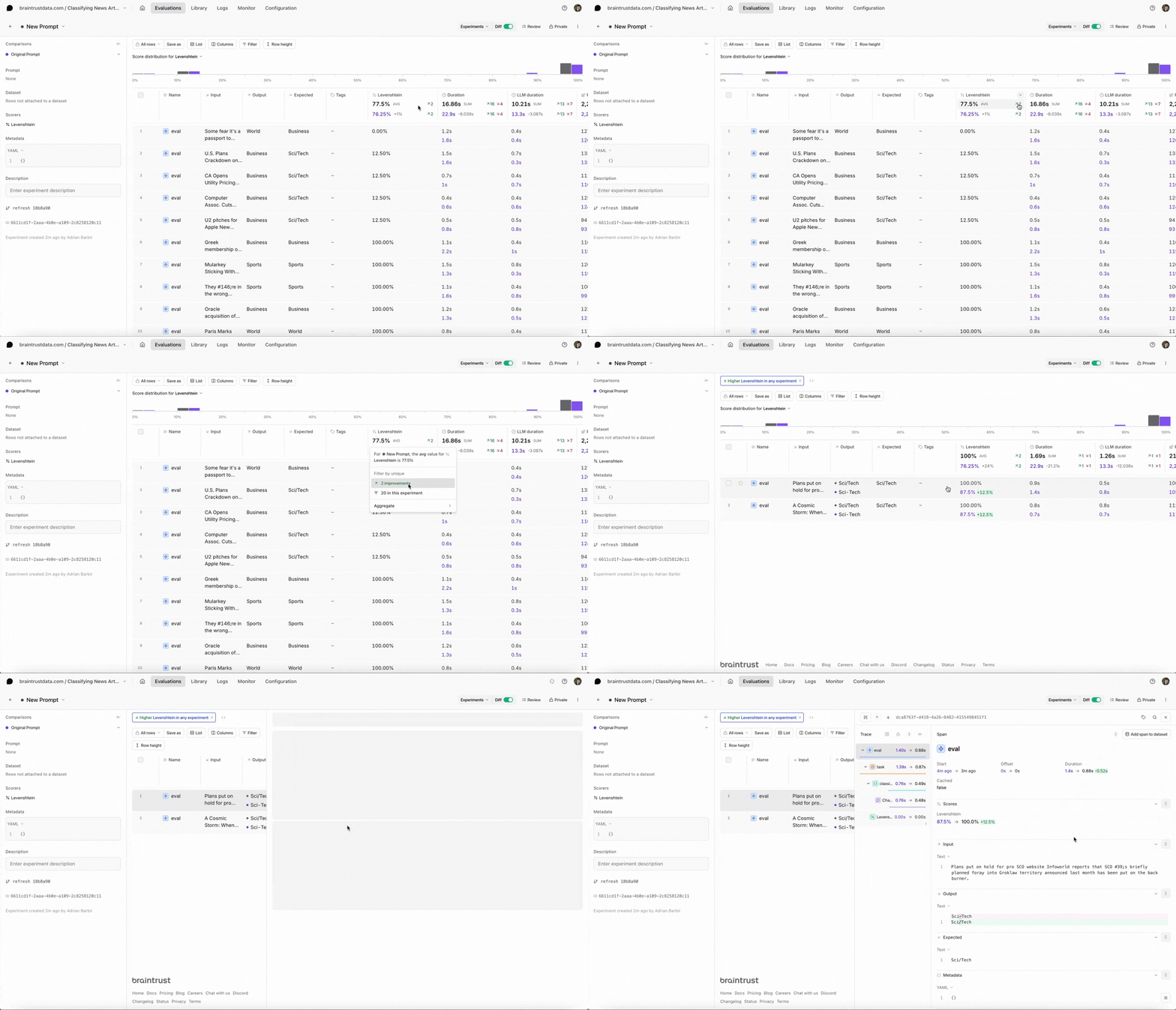
Select the new experiment, and check it out. You should notice a few things:- Braintrust will automatically compare the new experiment to your previous one.
- You should see the eval scores increase and you can see which test cases improved.
- You can also filter the test cases by improvements to know exactly why the scores changed.
Next steps
- I ran an eval. Now what?
- Add more custom scorers.
- Try other models like xAI’s Grok 2 or OpenAI’s o1. To learn more about comparing evals across multiple AI models, check out this cookbook.